built on piezas · build report

An App Store app in 23 hours of work.

TabFollower, by Uniflow AI Inc., is an iPad practice app for electric guitar. A live backing band plays along, hears every note and tells you what to fix. One person built it with an AI coding tool, and the entire backend runs on Piezas.

Get it on the App StoreVisit tabfollower.com
23 h
of active work, the person and the AI tool together
15 days
from the first prompt to App Store submission
203
prompts in one AI coding session
43
deploys to Piezas, about a minute each
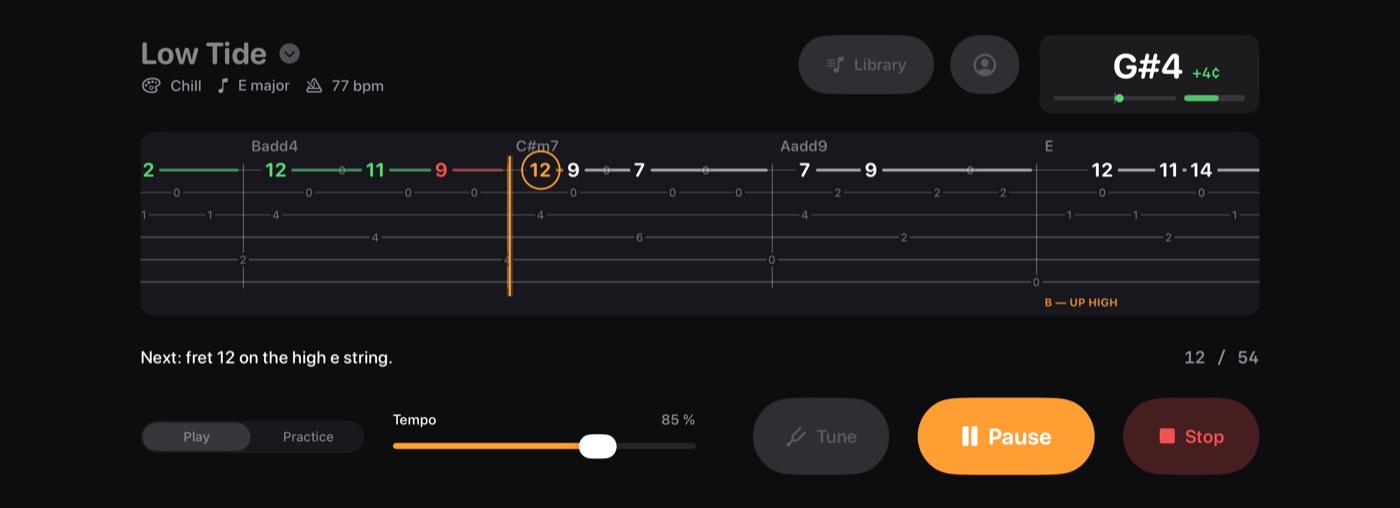
TabFollower play screen: guitar tab scrolling with hit notes in green, a missed note in red and the next note circled
Play mode. Green is a hit, red is a miss, and the circled note is next.
/ what runs on piezas

The entire backend.

Everything behind the app runs on Piezas. Four parts came ready-made, so they took a single session to connect. The rest is TabFollower's own logic, written by the AI tool and running on Piezas hosting.

Ready-made
Accounts
Sign-up, sign-in, password reset and account rules. Reset emails worked without any setup.
Records
Ten kinds of records, from songs and practice plays to devices and subscriptions.
Email
Support tickets, replies and error alerts, with no email provider or domain setup.
Hosting
43 deploys, a secure custom domain, private settings and logs.
The app's own logic, running on Piezas
  • AI song writing
  • Practice stats
  • Sign in with Apple and Google
  • Claude and Codex connector
  • Push notifications
  • Subscription checks

Setting up the backend took three prompts and about twenty minutes: set up the project, deploy, and add two private settings. There was no cloud account to open, no database to run and no email provider to configure.

/ where the time went

Most of the time went into the app itself.

Each of the 203 prompts was sorted into one of five kinds of work. The backend never became a project of its own. Publishing to the App Store took longer than deciding what to build and testing it, combined.

  • 43%
    Building features
    9.9 h
  • 25%
    Fixing bugs
    5.9 h
  • 17%
    Publishing to the App Store
    3.9 h
  • 9%
    Deciding what to build
    2.1 h
  • 5%
    Testing
    1.2 h
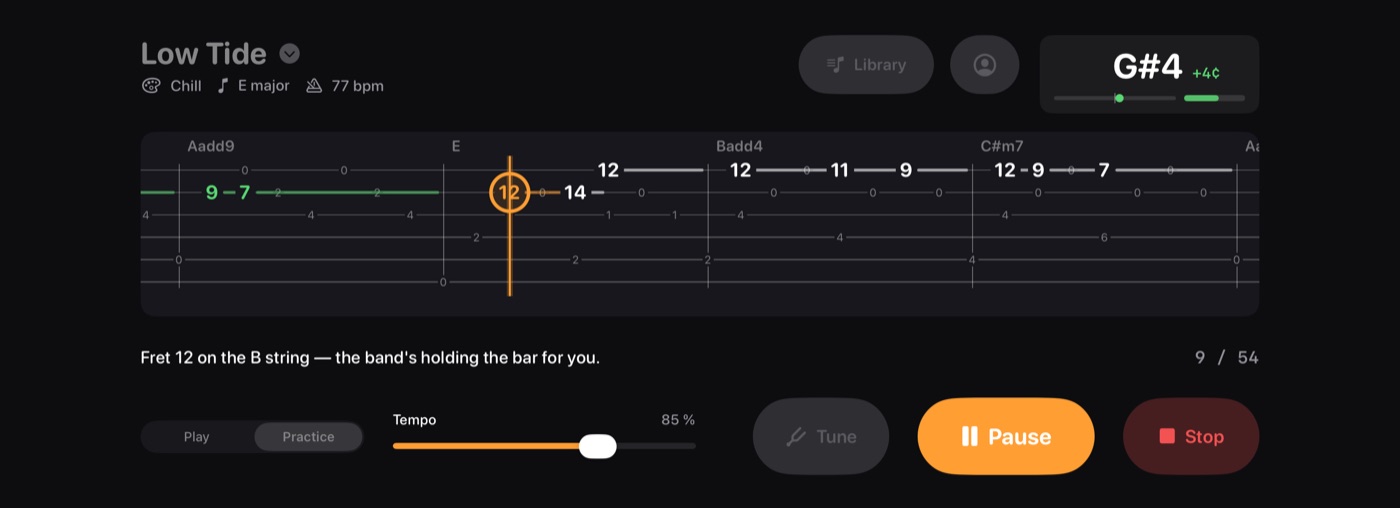
TabFollower practice mode looping a bar until the player hits the note
Practice mode. The band loops the bar until you play the note.
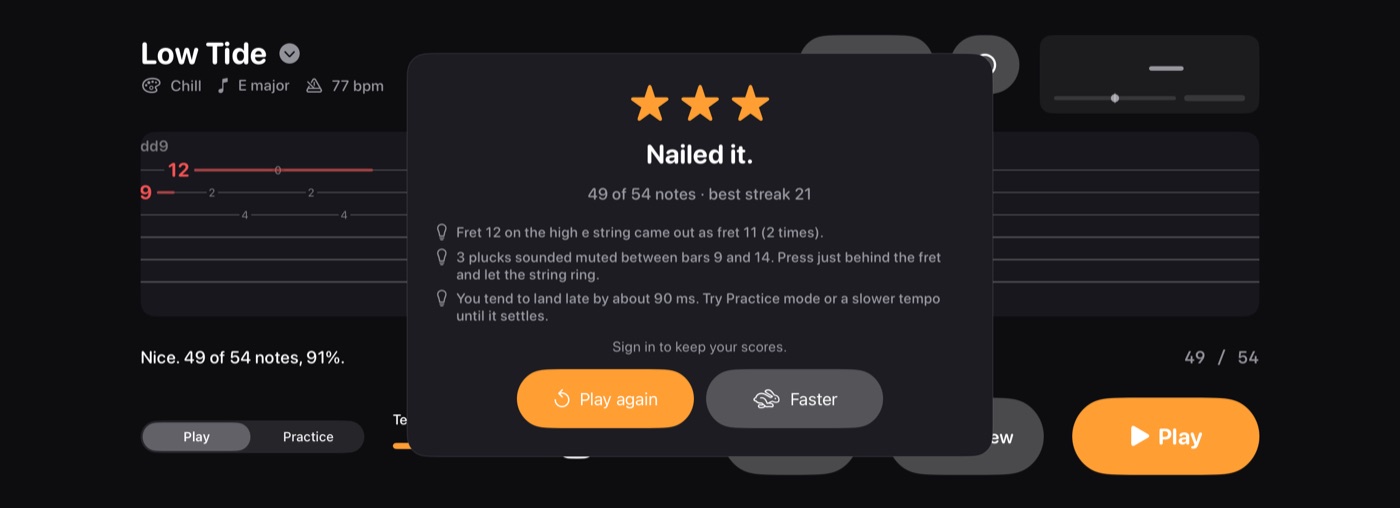
TabFollower finish card with stars, best streak and plain-language notes on what to fix
The finish card. Stars, streak and what to fix, in plain words.
/ what piezas changed

Built twice as fast.

Every app needs the parts below. On Piezas they were ready on day one, so the whole build took 23 hours instead of about 49. The time went into the app itself.

Hosting and deploys
Servers, secure certificates and a custom domain, ready to use. 43 deploys took about a minute each.
6 h
Database
Ten kinds of records, stored, backed up and ready to use.
7½ h
Sign-in
Accounts, password resets and login protection, built in.
5 h
Email
Support replies and alerts sent from day one, with nothing to configure.
2 h
Running it
Fewer moving parts meant fewer things to fix along the way.
5 h
Time saved: more than the whole app took to build
26 h

How we measured: the 23 hours come from the build session's own record, 14 to 28 September 2026. The time saved prices each ready-made part at the pace this same project ran.

Spend your time on the app.
Your first app is free.
Start Building